Fretboard Tools
Two tools built around one idea — knowing where every note actually lives on the neck, separate from any chord shape you've already memorized.
Every chord you've learned so far is really just a shape — a pattern you can slide up and down the neck without necessarily knowing what's underneath it. The Fretboard tools are where you learn what's underneath: every note, on every string, until you're not just recognizing a chord by its outline anymore. They live in their own Fretboard card on the Practice Hub, apart from the chord and scale libraries, because this isn't a lookup job — it's a drilling one.
There are two ways in: quiz yourself, or keep a reference handy. There's no shape-connecting tool here, on purpose — a 4-string neck doesn't have the six-string CAGED system's five overlapping open-chord shapes to visualize in the first place, so there's nothing to build a third tool around.
Fretboard trainer
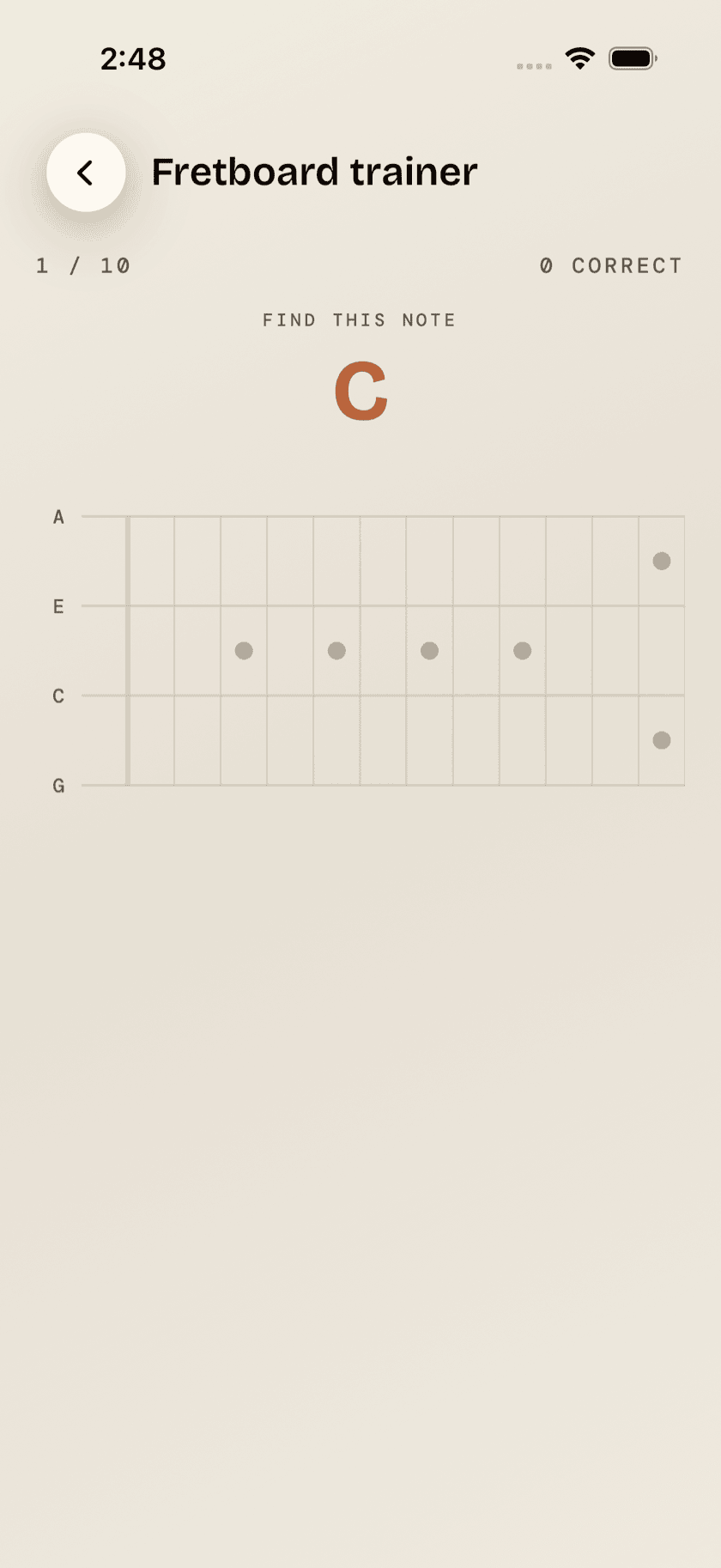
The Fretboard trainer is a note quiz that runs both directions. Sometimes it names a note — say, C♯ — and you tap where it lives across the neck. Sometimes a fret lights up instead and you name what's sitting under it from a grid of note names. Ten questions a round, then a plain count of how many you got, and nothing kept afterward. You can narrow it to a single string — G, C, E, or A — while you're still shaky, then open it back up to all four once the easy answers stop being easy. Naturals only is on to start with; switch it off when sharps and flats stop being one variable too many.
Cheat Sheet
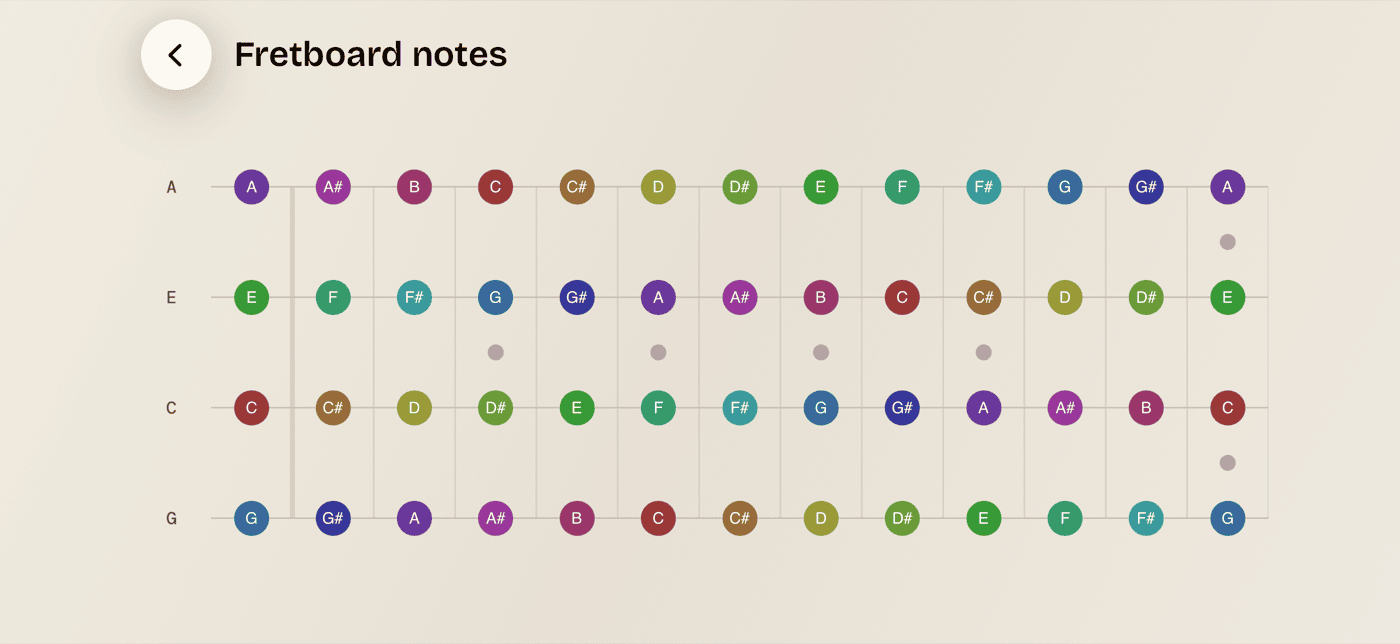
The Cheat Sheet is the opposite of the Fretboard trainer: nothing to answer, nothing timed. It's a static map of every note on every string from fret 0 to 12, each one labeled with its name. Meant to be glanced at mid-practice when you're stuck on something, not studied top to bottom.
The full 0–12 stretch doesn't fit on a phone screen in portrait, so the Cheat Sheet rotates to landscape — turn your phone sideways and the whole range appears in one view.