Strumming & Picking
A pattern trainer for drilling one strum or picking pattern in isolation — loop it over a common chord at your own tempo, then let your hand catch up to speed on its own.
Knowing where your fingers land on a C or an F doesn't make a song sound right by itself — the hand doing the strumming or picking is doing just as much of the work, and it's usually the part beginners drill least on purpose. The Strumming and Picking tools, opened from their own tiles in Practice Hub, isolate that one skill: pick a named pattern, choose a chord to loop it over, and run it until your hand stops having to think about it.
Strum patterns
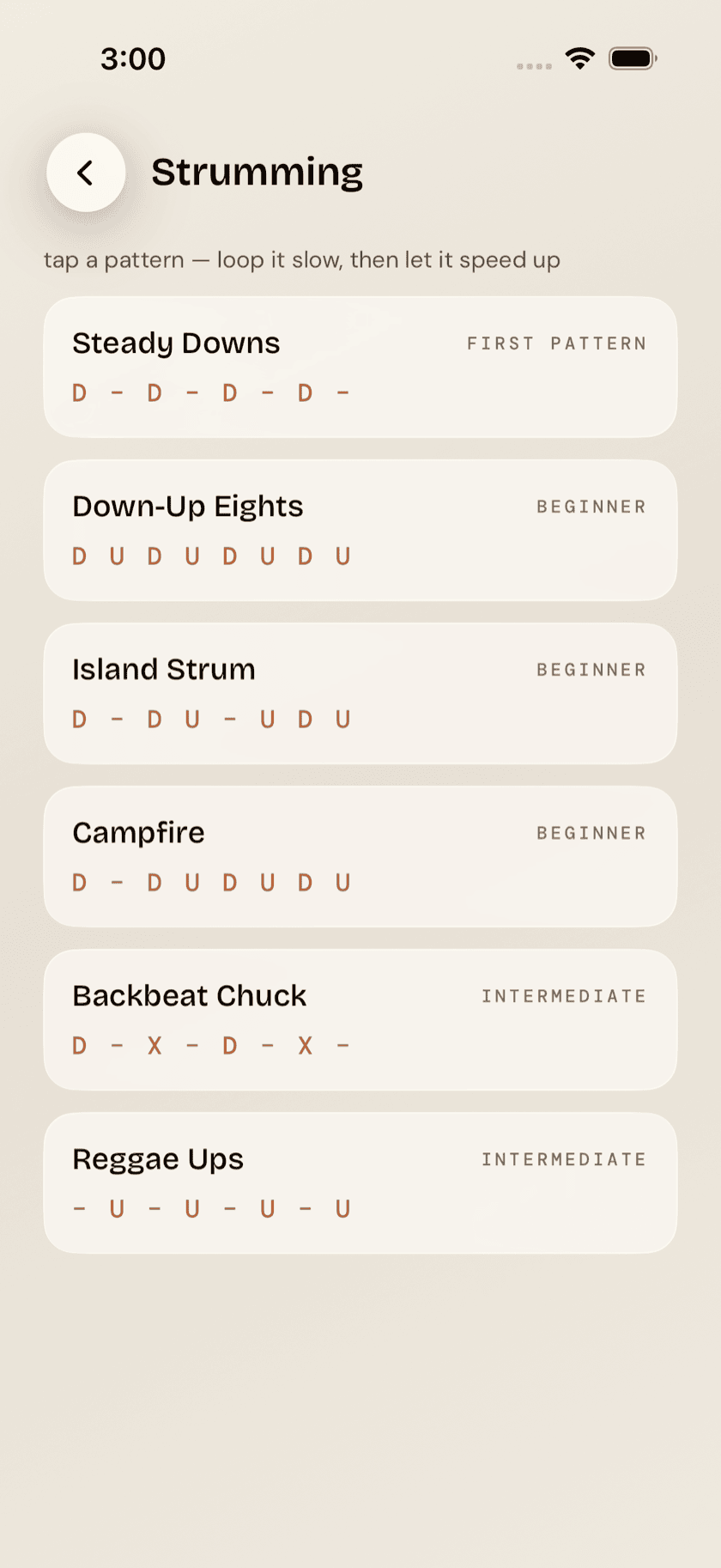
The strum library holds six patterns built around what a four-string uke actually does well: Steady Downs, Down-Up Eights, Island Strum, Campfire, Backbeat Chuck, and Reggae Ups. Each one shows as a down/up/rest notation strip across a single bar, so you're reading the rhythm instead of guessing at it from a video. The list runs easiest first — if you don't know where to begin, begin at the top.
Backbeat Chuck is the one pattern built around a chuck — a quick, percussive strum where you flatten your strumming hand against the strings the instant you hit them, cutting the chord dead instead of letting it ring. It lands on the 2 and the 4, which is what makes the uke sound briefly like a drummer. It's real ukulele vocabulary, not a guitar term with the letters swapped, and playing the pattern is a faster way to feel what the word means than reading about it.
Fingerpicking patterns
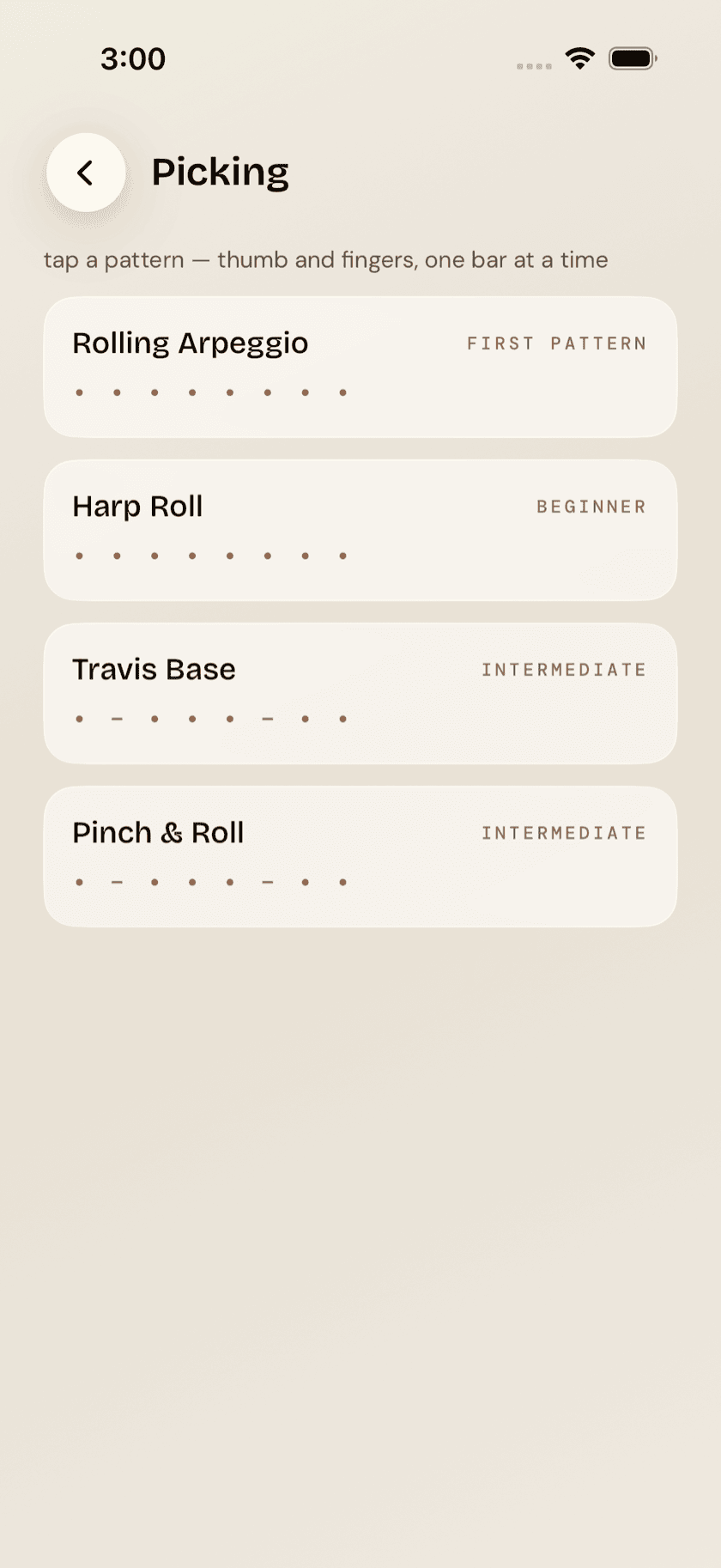
The picking library covers the same ground for fingerstyle — Rolling Arpeggio, Harp Roll, Travis Base, Pinch & Roll — each one showing exactly which string and which finger plucks on every beat. With four strings to keep track of instead of six, most rolls settle into a thumb-and-two-fingers pattern — built for players moving from strumming into fingerpicking for the first time, where "just pluck the strings one at a time" isn't much use without knowing which finger goes where.
standard ukulele tuning is reentrant — the top g string is tuned high, not low — so there's no true bass string for a roll to anchor on the way a guitarist's thumb anchors one on the low E or A. The rolls here are built around that from the start, not adapted from a guitar pattern that assumes a bass note the ukulele doesn't have.
Playing a pattern
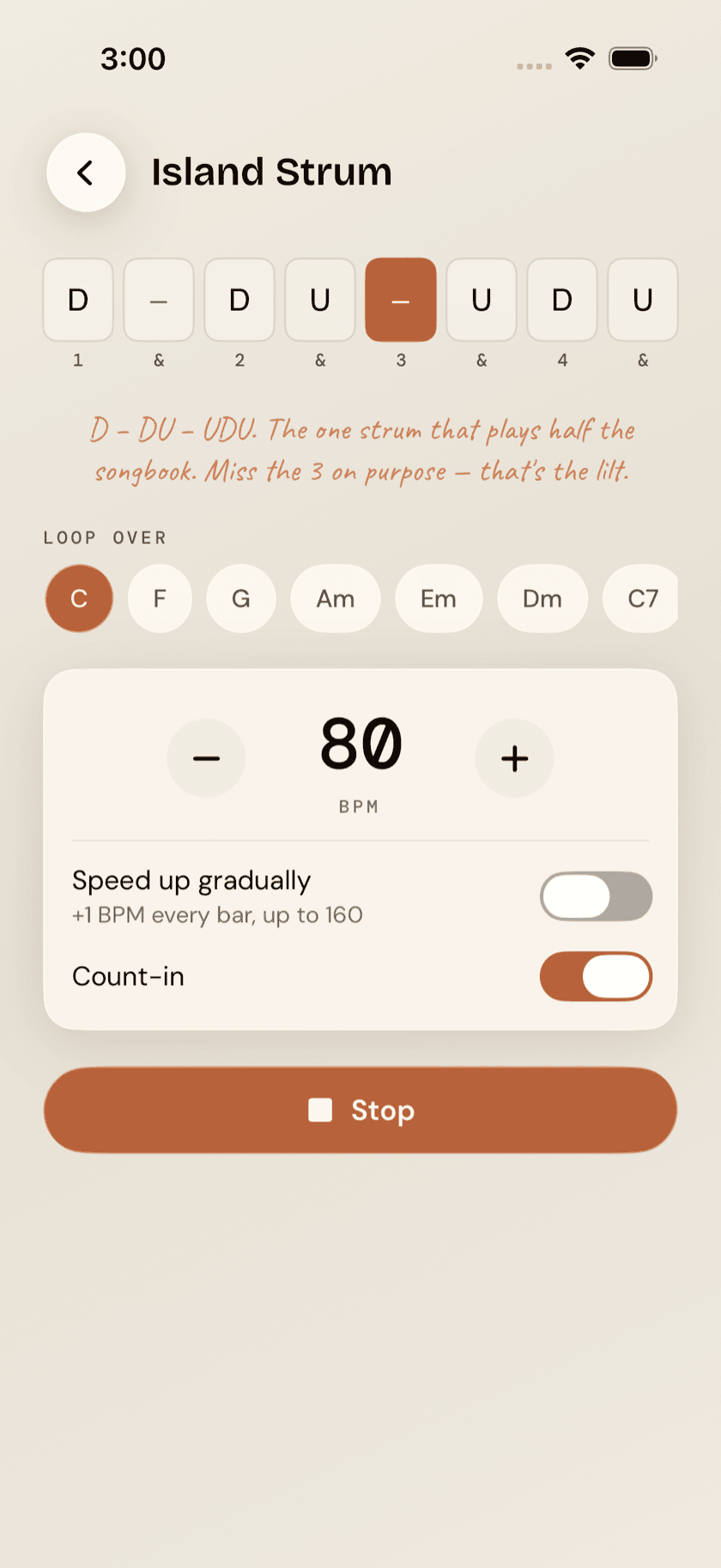
Tap a pattern and it opens in the player, looping that one bar over a chord you pick from a row of common shapes — C, F, G, Am, Em, Dm, C7 and G7. Open the trainer from a song page's suggested strum instead, and that song's first chord is the one already selected, added to the front of the row if it isn't one of the standard eight. You start on the chord you'll actually use, and you can still swap to another mid-loop to hear the pattern somewhere else.
A count-in gives you one bar — four ticks, the first one accented — to get your hand in position before the loop starts, and it's a toggle if you'd rather start cold. Tempo runs 50 to 160 BPM, set with the − and + buttons five beats at a time, with a speed up gradually toggle underneath.
the ramp toggle isn't a speed setting, it's a slope — one more beat per minute every bar, climbing toward 160 while you keep playing. You lock the pattern in slow and clean first, and let your hand earn the faster tempo on its own instead of chasing one it can't play yet.