Practice Hub
The screen where every structured practice tool lives — a map, not a manual, so you know where to look before the tool pages that follow it.
Working on your playing and working on a song are two different modes in Ukulele Buddha, and Practice Hub is home base for the first one. It's where you drill technique, theory, timing, or your ear — nothing built around a specific song. Tap Practice tools from Home and it takes over the full screen; you're not switching tabs, you're stepping into a dedicated space with a tool already in mind, and you back out once you've used it.
Getting to the hub
Practice Hub sits outside the tab bar. It opens the same way Jam does — from the Practice tools card on Home — and fills the screen until you tap back out.
What's on the screen
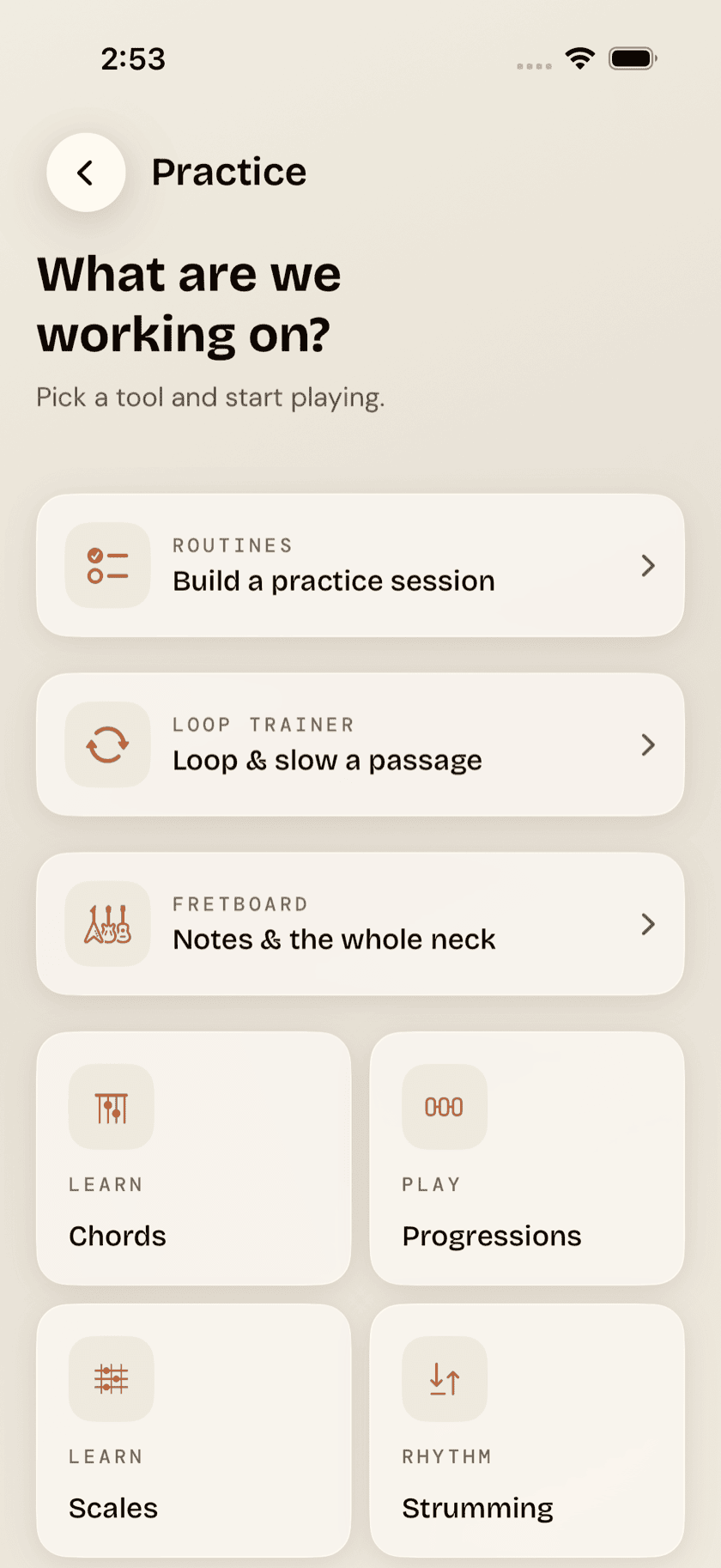
Two tiers, top to bottom. Three larger featured cards — Routines, Loop Trainer, and Fretboard — sit above a grid of eight smaller tool tiles: Chords, Progressions, Scales, Strumming, Picking, Drills, Loops, and Metronome. Between the two, every structured practice tool in the app is represented here.
Every tile carries a small category eyebrow above its name — Chords and Scales under Learn, Progressions under Play, Strumming under Rhythm, Picking under Technique, Drills under Train, Loops under Jam, Metronome under Timing. It's a rough sort rather than a taxonomy — enough to tell a lookup tool from a drill at a glance while you're deciding what the next twenty minutes are for.
Where each one goes
Each card and tile has its own page later in this guide:
| Tap | Goes to |
|---|---|
| Chords, Scales | Chords & Scales |
| Progressions | Progressions |
| Strumming, Picking | Strumming & Picking |
| Drills | Drills & Ear Training |
| Fretboard (card) | Fretboard Tools |
| Loops, Loop Trainer (card) | Loops |
| Metronome | Metronome |
| Routines (card) | Routines & Log |
One tile has grown more than the rest. Progressions now holds forty-one of them, sorted into genre and mood packs, with a groove picker on each and a builder for stacking your own — enough that it has its own page rather than a paragraph here.
Loops and Loop Trainer share one page in this guide, but they're two different screens in the app. The tile down in the grid opens the backing-track library; the featured card up top opens the slow-it-down trainer. Related work, separate doors.